

Whether you’re looking at Seattle rentals or you’re exploring Round Rock homes for sale, this Redfin article explores how to elevate your living space without depleting your finances by using budget smart home devices and tips.
Smart home technology offers convenience, security, and significant energy savings. Choosing the right products and implementing them thoughtfully is key to a cost-effective upgrade. By following these seven essential steps, anyone can seamlessly transition their house into a smarter, more efficient home.

1. Explore companion apps
Smart home devices often rely on a dedicated companion app for setup and management. Roman Bord, co-founder of Stormotion suggests, “Before committing to a smart home device purchase, check the usability of companion apps.” Download and test smart home apps if possible, or read reviews focusing on ease of use, stability, and feature set. A device with robust physical hardware can be hindered by a poorly designed app.
Bord says, “A well-built application allows you to create a smart home ecosystem throughout your home and get long-term value from your devices.” Look for apps that provide centralized control, clear onboarding instructions, and regular updates to ensure security and compatibility.
2. Consider which smart hub is right for you
A smart hub acts as the brain for your connected devices, allowing them to communicate with each other. Choosing the right hub is critical for building a cohesive and budget-friendly ecosystem. Rob Wassink with Qub, a UK-based lighting retailer, recommends “focusing on devices that use open standards like WiFi or Zigbee so you are not locked into one ecosystem that can scale gradually.”
Major platforms like Amazon Alexa, Google Home, and Apple HomeKit offer varying levels of compatibility and features. Select a hub that supports the communication protocols of your planned devices to avoid buying incompatible technology later.
Kevin McAleer of Kev’s Robots shares how other assistants exist outside of the major brand names, and recommends Home Assistant Green for an open-source smart home hub.
3. Shop for smart home products
When shopping for budget smart home devices, focus on foundational devices that offer the highest return on investment in terms of utility and efficiency, such as:
- Smart lights. Start with smart bulbs in high-use areas to control lighting remotely and set schedules. Dennis, founder of VerLuce shares how “smart under cabinet lights can completely transform your kitchen atmosphere”. He suggests setting up “daily routines through your smart home app so your cabinet lights automatically adjust to your preferred color temperature and brightness”.
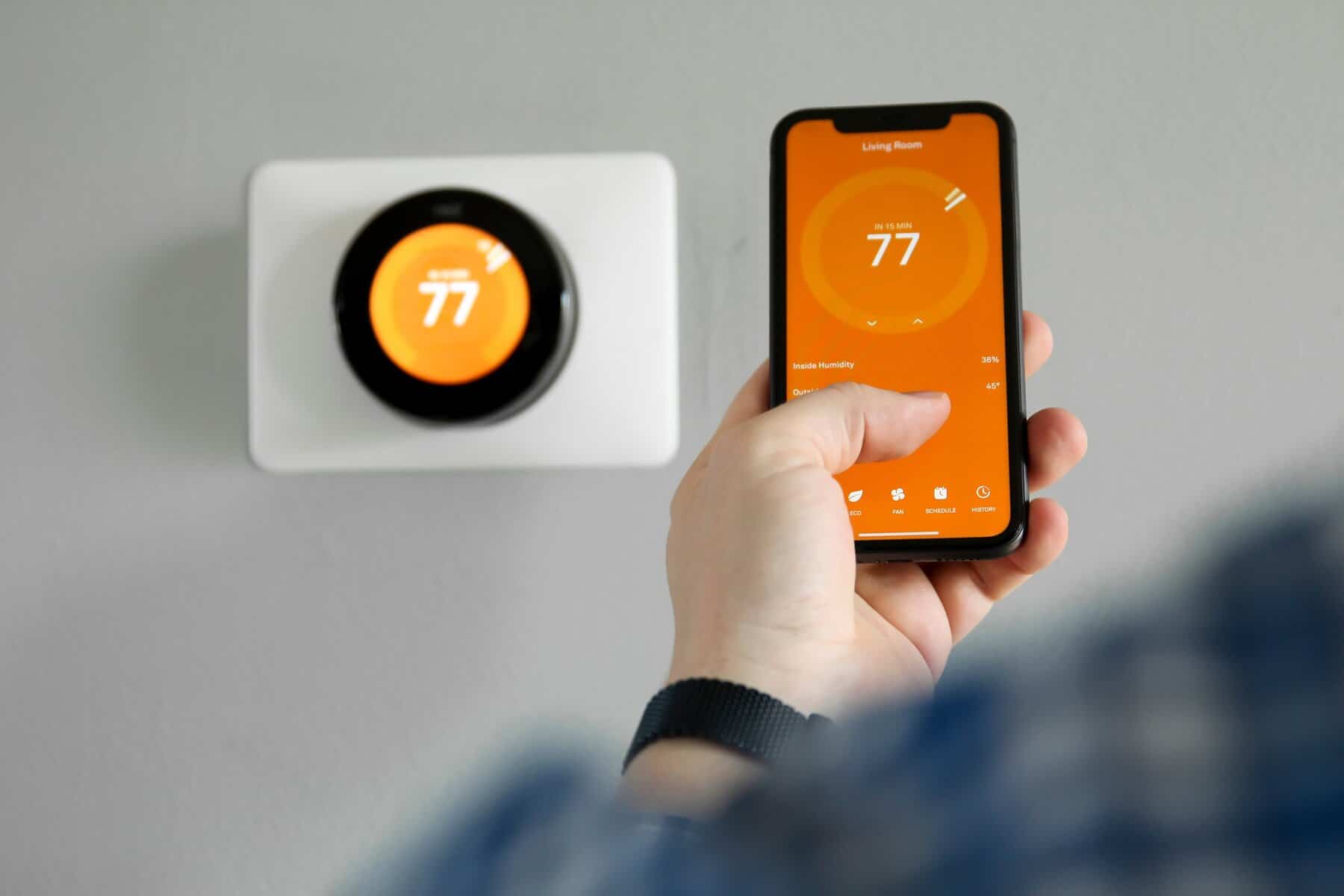
- Smart thermostats. These learn your habits and adjust temperatures automatically, drastically reducing heating and cooling costs.
- Smart switches and plugs. Convert existing, non-smart appliances (like lamps or coffee makers) into connected devices without replacing them.
- Air purifiers: Automate air quality control based on the time of day or internal air sensors.
- Seek open standards. Prioritize devices supporting current open connectivity standards, such as Matter and Thread, to ensure long-term compatibility across different ecosystems.
- Monitor Sales. Budget-friendly devices are often heavily discounted during major retail holidays, offering the opportunity to expand your setup for less.
When it comes to creating a space where smart devices really shine, Home-A-Genius says, “Most homeowners don’t start with a fully automated home right away. They usually begin with a few key devices that make an immediate difference.” A few of Home-A-Genius’s recommended devices are: Philips Hue smart lights and a Home-A-Genius Smart Switch.
4. Install devices and schedule shortcuts and timers
Proper installation ensures optimal performance. Once installed, immediately leverage automation features. By taking advantage of smart home automation, Rob Skuba with National Smart Home shares how your home can have “lights that adjust without thinking, music that’s already there when you walk in” and how you can create a “home that responds instead of being managed.” By using a companion app or smart hub interface it’s easy to:
- Schedule timers. Program lights and thermostats to turn off or adjust when you are typically asleep or away from home.
- Create shortcuts (routines). Set up routines, such as a “Good Morning” shortcut that raises the thermostat, turns on a light, and begins brewing coffee with a single voice command.
- Implement geofencing. Use location services to automatically adjust your smart devices as you arrive or leave, maximizing energy efficiency.
5. Secure your setup: Essential smart home security tips
Securing your smart home is paramount, even on a budget. All connected devices represent a potential entry point for unauthorized access. Implement these practices to ensure a secure setup:
- Use strong passwords: Change default passwords on all new devices immediately. Use unique, complex passwords for your Wi-Fi network and device accounts.
- Enable two-factor authentication (2FA): Where available, 2FA adds a critical layer of protection to your device accounts.
- Isolate devices: If possible, place smart devices on a separate guest or IoT (Internet of Things) network to isolate them from your primary computers and sensitive data.
6. Future-proofing your home: Seamlessly integrate new devices
A budget approach does not mean sacrificing future growth. Plan your smart home with expandability in mind:
- Choose compatible brands. Stick to device brands known for cross-platform support and continued software updates.
- Phased investment. Instead of buying many low-cost, unconnected devices at once, invest in high-quality core pieces that can integrate with various products as your budget allows.
- Evaluate new protocols. Stay current on connectivity standards (like Matter) that promise easier integration between different manufacturers, making future integrations hassle-free.
7. Maximize savings: Use automation for energy efficiency
The true cost savings from smart homes come through automation. Use your devices to minimize wasted energy:
- Optimize thermostat settings. Fine-tune your smart thermostat’s scheduling features to avoid heating or cooling an empty house. For every degree you adjust your thermostat, you can save on utility costs.
- Automate power-draining devices. Use smart plugs to completely cut power to devices that draw “phantom load” power when not in use (e.g., entertainment systems, chargers).
- Monitor usage data. Utilize the energy monitoring features often built into smart plugs and companion apps to identify which devices consume the most power and adjust their usage patterns accordingly.
>> Read: Future-Proof Your Home: 2026 Smart Home Energy Management Ideas
Now you’re ready to automate your home
Smart home devices are an accessible way to upgrade your home’s functionality and value without a massive investment. By strategically choosing budget smart home devices and tips that prioritize compatibility, security, and energy savings, you can create a truly intelligent and cost-effective living environment.
>> You might also be interested in reading Does Smart Home Automation Increase Home Value?
